Wow, that title is a mouthful. It's also where I've been for the last several days. That said, the rest of this post is under NDA. That's right: all two of you who read this can't tell anyone what you read here. Wait - that must have just seeped in from the last several days of presentations - all of which started with some NDA slide or another. After a bit you get tired of hearing about Nonsense Dispersal Agreements anyway. We all know that conferences spew nonsense: no need to have slides about it.
So, this was another conference that tires you out to no end. Reception the first night, then up at 5:00 to do email before sessions, sessions until 5:45, then back on the bus and a dinner from 7:00 until 10:30 then finally back to the hotel and to bed. Next day, up at 5:00 to do email before the sessions and sessions until 5:45 then a steering committee dinner from 6:30 to something late. About the same the third day. At least the stuff is all interesting - it just gets to be tiring after awhile. All that said, I wouldn't change it: we need all that time to get everything in.
One of the funniest happenings was the network there at the Executive Briefing Center. Anyone who has been to Microsoft's Redmond campus lately has probably gotten a print out of an ID and password for accessing the "MSFTGUEST" wireless network. You try to open say www.cnn.com and get redirected to a place to logon - similar to how most hotel networks are setup. Nothing new there. However, in this case - for the first two days - Internet Explorer wouldn't display the site. Firefox would work fine! Now, as embarassing as that must have been for the hosts, it does show that Microsoft does not make web pages that only work in Internet Explorer. It happened to be on Firefox download day, so I needed to use FF 2.014 to connect to the MSFTGUEST network so I could download FF 3.0. That just sounds wrong when you are on an MS network. Worked fine, but then VPN wouldn't work. Its amazing how one of the largest and most successful software engineering firms can't run a wireless guest network that - well - works. Most people using classic VPN solutions such as Cisco, Nortel, or the built in MS VPN L2TP could not connect. Only the people using SSL VPN's or RPC over HTTP (which my company doesn't allow) could get their mail. I finally got in part time by using a Citrix connection to remote desktop. At one point that wouldn't work either and I had to use OWA. I guess they had to take the folks who would normally create a working network and devote them to fixing Vista?
Other than the wireless snafu, the rest of the conference was engaging and fairly interesting (as usual some sessions more so than others). Thanks to Paula, Joseph, and Karen for making the conference a successful and interesting experience.
Friday, June 20, 2008

Sunday, June 15, 2008
Tech-Ed and the Case of the Powerpoint Poisoning
As you know, I attended Tech-Ed (IT Pro version) last week in Orlando, Florida. I made it back, my luggage made it with me, and the airline somehow avoided breaking my three Pat O'Brien's hurricane glasses. Friday night after the sessions a couple of us went to the Hard Rock Cafe out at Citywalk and then over to Pat O's piano bar. My voice is still recovering. I think after the second hurricane and the free MGD that the Miller Lite girls gave us (thanks Rochelle and Kelly!) I had decided that I sounded pretty darn good (which called for the 3rd hurricane). I think the other patrons would probably dispute that assessment however.
This year I was disappointed in that very few of the Microsoft folks that I know were there at Tech-Ed. Even one person who was on the agenda for a couple of break outs was a no show. This seems to be getting worse each year as people either take different positions or leave Microsoft entirely. One thing I wasn't disappointed in was the shuttle buses. Somebody did something right there and we never had to wait long at all. In fact, last year many of us had to wait over an hour at the evening event to get a shuttle home. This time, there were several of each route sitting waiting for us. The ones to and from the conference sessions were likewise very available. That part was well done. The weather cooperated this year too and only managed to rain and thunder while we were in sessions. At one point on the third floor you were hard pressed to decide whether there was a lot of clapping next door or if the thunder was just right overhead. This beat last year again, as last year we got completely drenched at the evening event out at Universal.
I did end up with a case of PowerPoint Poisoning though. It was either that or alcohol poisoning, but I'm going with the PowerPoint as my story. The way this works is they feed you a bunch of food, stick you in a darkened room with an often monotone speaker, and flash slides which are often devoid of any interesting content. It's no wonder that half the room nods off from time to time. I know I did, and I saw a lot of other people in the same boat. There were of course the normal stock of superlative speakers who keep the audience engaged. Folks like Mark Russinovich, Steve Riley, and Mark Minasi - no sleeping in their sessions. Well done!
I also went to a few sessions that seemed to be covering some fairly important things but were very lightly attended. One example was Michelle Abrahams talk on Windows Search 4.0. This session was only a level 200, so it wasn't very technical. However, it covered the just released update to Windows Search that makes the Vista Instant Search feature tons more stable (it used to corrupt itself fairly often if you had a high volume of email). Perhaps people stayed away from the level 200 sessions or just didn't think this was important but it was their loss: this is something they should be deploying - now.
Overall, the sessions were pretty good but I did get a lot of repeat information that I've probably known for years as a veteran of several TAP programs. For instance the same guy was there talking about building Windows XP images and how to replace the HAL - same thing as last year and the year before (fortunately I didn't attend this time, but one of my coworkers did). I thought that both Chris Jackson and Aaron Margosis did a good job with their respective sessions on app compat and LUA issues. My notepad does have a couple of nuggets that I picked up from some of these sessions - so the PowerPoint Poisoning was worthwhile.
This year I was disappointed in that very few of the Microsoft folks that I know were there at Tech-Ed. Even one person who was on the agenda for a couple of break outs was a no show. This seems to be getting worse each year as people either take different positions or leave Microsoft entirely. One thing I wasn't disappointed in was the shuttle buses. Somebody did something right there and we never had to wait long at all. In fact, last year many of us had to wait over an hour at the evening event to get a shuttle home. This time, there were several of each route sitting waiting for us. The ones to and from the conference sessions were likewise very available. That part was well done. The weather cooperated this year too and only managed to rain and thunder while we were in sessions. At one point on the third floor you were hard pressed to decide whether there was a lot of clapping next door or if the thunder was just right overhead. This beat last year again, as last year we got completely drenched at the evening event out at Universal.
I did end up with a case of PowerPoint Poisoning though. It was either that or alcohol poisoning, but I'm going with the PowerPoint as my story. The way this works is they feed you a bunch of food, stick you in a darkened room with an often monotone speaker, and flash slides which are often devoid of any interesting content. It's no wonder that half the room nods off from time to time. I know I did, and I saw a lot of other people in the same boat. There were of course the normal stock of superlative speakers who keep the audience engaged. Folks like Mark Russinovich, Steve Riley, and Mark Minasi - no sleeping in their sessions. Well done!
I also went to a few sessions that seemed to be covering some fairly important things but were very lightly attended. One example was Michelle Abrahams talk on Windows Search 4.0. This session was only a level 200, so it wasn't very technical. However, it covered the just released update to Windows Search that makes the Vista Instant Search feature tons more stable (it used to corrupt itself fairly often if you had a high volume of email). Perhaps people stayed away from the level 200 sessions or just didn't think this was important but it was their loss: this is something they should be deploying - now.
Overall, the sessions were pretty good but I did get a lot of repeat information that I've probably known for years as a veteran of several TAP programs. For instance the same guy was there talking about building Windows XP images and how to replace the HAL - same thing as last year and the year before (fortunately I didn't attend this time, but one of my coworkers did). I thought that both Chris Jackson and Aaron Margosis did a good job with their respective sessions on app compat and LUA issues. My notepad does have a couple of nuggets that I picked up from some of these sessions - so the PowerPoint Poisoning was worthwhile.
Sunday, June 08, 2008
Tech-Ed bound
It's become almost an annual ritual - heading off to Tech-Ed. I got up early this morning to do online check-in to make sure I have the 2nd exit row aisle seat, print out the sunset, civil twilight, etc. from this handy site, print out the weather forecast, my BitLocker recovery password, hotel confirmation number, Tech-Ed bar code, map of the Orange County Convention Center, and more. Did I mention that I'm a geek? Or did you just figure that out yourself?
This year, Microsoft (in its infinite wisdom) cut Tech-Ed into two pieces: a developer focused track (which is over now) and an IT Pro focused track (which I am heading off to). That's right, they broke Tech-Ed. Broke as in "borked". Someone must have decided that everyone has a tidy little job title like "senior developer who writes code and doesn't need to know about infrastructure" and "IT Architect who specifies SQL Servers and Active Directory but doesn't need to know anything about .Net or C#". Living in the real world, I tend to do a little of both. Actually now that I accepted a Team Lead job, a large portion of my time is spent in meetings and managing people / processes, but I still am able to spend some time creating images (IT Pro) and developing code (Developer). Perhaps Microsoft didn't really want to split Tech-Ed out into two: maybe they didn't have enough hotel rooms in the area to fit everyone? Or maybe Universal Studios couldn't stomach the thought of 15,000 drunk geeks walking around taking pictures of the T-Rex just as they went over the edge in the Jurassic Park ride (yes, last year that was me!). Either way, the sessions I will be attending are surprisingly bereft of titles like "Best practices to make your code multi-lingual" (I think they decided that with so much outsourcing half of the dialog boxes in the code we get are English-as-a-Second-Language anyway). Gone are the "Programming for the new Network Stack" sessions - they must have been last week.
Fortunately, they still have the "SOA358 Publishing and Extending Business Rules in Mainframe (CICS and IMS) and AS/400 Programs Using Microsoft Host Integration Server" session which, according to the really nice "session demand" graph appears to have one person attending it (with two speakers no less - I feel sorry for Paul Larsen and Ricardo Mendes). It's funny how I whine and complain that they don't have any of the coding sessions, when one look at my online schedule shows that I have double and triple booked most time slots. I'm actually down to where I must pick between "CLI360 Tricks of the Windows Vista Masters" and "SEC355 Privacy: The Why, What, and How" by seeing which one is being done by Steve Riley (an awesome speaker by the way). I also had to make sure when looking at sessions like "CLI369 Building the Perfect Master Image" that they aren't being done by Johan Arwidmark - a nice enough and very bright guy, but his "ya, I'm here from Sweden to tell you about the Windows PE" just gets annoying. Sorry, that quote is much better when I can deliver it out loud and mimic the voice and delivery.
After all of that going through the schedule and all, I still had several time slots where I have two or more sessions and I will have to decide at the last moment which one to go to. Probably the one by the least used restroom. Speaking of restrooms - have you ever been to Tech-Ed? Geek conferences like Tech-Ed are the only places on the planet where there are lines outside the men's bathroom and not the women's (as the male/female ratio at Tech-Ed is something like 20 to 1). I often find myself leaving sessions 10 minutes early to be first in line - like lining up for "Indiana Jones and the Last Urinal Available". At least they don't sell tickets... yet. If you are coming to Tech-Ed IT Pro in Orlando, maybe I'll see you in line for the John. I'll be the one wearing whatever Windows Mobil Hat, Server 2008 Pin, etc. supposedly will win me a prize.
This year, Microsoft (in its infinite wisdom) cut Tech-Ed into two pieces: a developer focused track (which is over now) and an IT Pro focused track (which I am heading off to). That's right, they broke Tech-Ed. Broke as in "borked". Someone must have decided that everyone has a tidy little job title like "senior developer who writes code and doesn't need to know about infrastructure" and "IT Architect who specifies SQL Servers and Active Directory but doesn't need to know anything about .Net or C#". Living in the real world, I tend to do a little of both. Actually now that I accepted a Team Lead job, a large portion of my time is spent in meetings and managing people / processes, but I still am able to spend some time creating images (IT Pro) and developing code (Developer). Perhaps Microsoft didn't really want to split Tech-Ed out into two: maybe they didn't have enough hotel rooms in the area to fit everyone? Or maybe Universal Studios couldn't stomach the thought of 15,000 drunk geeks walking around taking pictures of the T-Rex just as they went over the edge in the Jurassic Park ride (yes, last year that was me!). Either way, the sessions I will be attending are surprisingly bereft of titles like "Best practices to make your code multi-lingual" (I think they decided that with so much outsourcing half of the dialog boxes in the code we get are English-as-a-Second-Language anyway). Gone are the "Programming for the new Network Stack" sessions - they must have been last week.
Fortunately, they still have the "SOA358 Publishing and Extending Business Rules in Mainframe (CICS and IMS) and AS/400 Programs Using Microsoft Host Integration Server" session which, according to the really nice "session demand" graph appears to have one person attending it (with two speakers no less - I feel sorry for Paul Larsen and Ricardo Mendes). It's funny how I whine and complain that they don't have any of the coding sessions, when one look at my online schedule shows that I have double and triple booked most time slots. I'm actually down to where I must pick between "CLI360 Tricks of the Windows Vista Masters" and "SEC355 Privacy: The Why, What, and How" by seeing which one is being done by Steve Riley (an awesome speaker by the way). I also had to make sure when looking at sessions like "CLI369 Building the Perfect Master Image" that they aren't being done by Johan Arwidmark - a nice enough and very bright guy, but his "ya, I'm here from Sweden to tell you about the Windows PE" just gets annoying. Sorry, that quote is much better when I can deliver it out loud and mimic the voice and delivery.
After all of that going through the schedule and all, I still had several time slots where I have two or more sessions and I will have to decide at the last moment which one to go to. Probably the one by the least used restroom. Speaking of restrooms - have you ever been to Tech-Ed? Geek conferences like Tech-Ed are the only places on the planet where there are lines outside the men's bathroom and not the women's (as the male/female ratio at Tech-Ed is something like 20 to 1). I often find myself leaving sessions 10 minutes early to be first in line - like lining up for "Indiana Jones and the Last Urinal Available". At least they don't sell tickets... yet. If you are coming to Tech-Ed IT Pro in Orlando, maybe I'll see you in line for the John. I'll be the one wearing whatever Windows Mobil Hat, Server 2008 Pin, etc. supposedly will win me a prize.
Saturday, May 31, 2008
DC - a Powerful Place
I recently returned from a successful trip to Washington DC as a chaperone for an eighth grade class trip. Despite my initial thoughts about how I may decide to throw some of the louder ones off of the Washington Monument or push them in front of a bus I actually made it through the trip pretty well. It was one of those regimented, over scheduled, jog through the sites to say you did it kind of trips - the ones that leave you wondering where you actually went by the time you get home and look at the pictures. We left on a Saturday morning at 3:15 AM and returned back on the following Saturday at 1:14 AM.
If you looked fast, you saw basically everything there was to see in Washington DC, and parts of Virginia and Maryland. If, like me, you like to actually READ the placards on the displays and study the fine detail in objects then you would either have to come back on your own or miss the bus. This was the one hour and twenty-five minutes at the Air and Space Museum, one hour and thirty minutes (lunch included in that time) at the Natural History Museum, jog up the stairs to the Lincoln Memorial (at night no less - the pictures suck as we didn't have tripods), the blitzkrieg tour of Gettysburg, etc. Did you get a picture of the Iwo Jima memorial? No, my flash wasn't charged before we had to run back to the bus. The downside of course was the incredible rush to get from place to place without spending any time to really enjoy them while we were there. The upside is that we can say, "been there, sprinted through that" about most of the things in the area. Let's see, my list shows that we saw:
Anyway, we made it back - and didn't leave anyone behind. We did have a few stragglers on a couple of occasions - mostly the parents if you can believe that. I guess the worst items were:
Here's the President's address at Arlington:

Here's the WWII Memorial:

Here's the Washington Monument shot from the side of the Jefferson Memorial:

If you looked fast, you saw basically everything there was to see in Washington DC, and parts of Virginia and Maryland. If, like me, you like to actually READ the placards on the displays and study the fine detail in objects then you would either have to come back on your own or miss the bus. This was the one hour and twenty-five minutes at the Air and Space Museum, one hour and thirty minutes (lunch included in that time) at the Natural History Museum, jog up the stairs to the Lincoln Memorial (at night no less - the pictures suck as we didn't have tripods), the blitzkrieg tour of Gettysburg, etc. Did you get a picture of the Iwo Jima memorial? No, my flash wasn't charged before we had to run back to the bus. The downside of course was the incredible rush to get from place to place without spending any time to really enjoy them while we were there. The upside is that we can say, "been there, sprinted through that" about most of the things in the area. Let's see, my list shows that we saw:
- National Air and Space Museum
- Museum of Natural History
- Newseum
- Lincoln Memorial
- Jefferson Memorial
- FDR Memorial
- Washington Monument
- White House tour
- Capitol Building guided tour
- Gettysburg battlefield guided tour
- Gettysburg visitor center and museum
- Mount Vernon tour
- Monticello tour
- Vietnam Memorial
- Korea Memorial
- WWII Memorial
- Busch Gardens (yes, a whole 6 hours there riding roller coasters!)
- Water Park
- Hauntings Tour
- Colonial Williamsburg tour
- Jamestown tour
- Attended President Bush's speech at Arlington Natl Cemetery on Memorial Day (in the Amphitheater - had to get there at 8:00 AM)
- Dinner / Dance cruise
- Yorktown tour
- National Archives
Anyway, we made it back - and didn't leave anyone behind. We did have a few stragglers on a couple of occasions - mostly the parents if you can believe that. I guess the worst items were:
- Hotel changed the keys from the credit card shaped magnetic ones to an RFID wristband lock during the day and we had to all get new keys.
- One hotel's magnetic key lock failed and a person couldn't get some of their items out of the room and we got delayed by 30 minutes (plus the items will have to be shipped back).
- Kids fighting with their roommates because many are irresponsible and won't go to sleep and insist on watching TV at all hours of the night.
- A couple of kids got dehydrated on the dance cruise and caused a bit of a scare (but they are fine).
Here's the President's address at Arlington:

Here's the WWII Memorial:

Here's the Washington Monument shot from the side of the Jefferson Memorial:

Sunday, May 18, 2008
Washington DC - how worried should I be?
I'm scheduled to chaperone a middle-school (8th grade) field trip to Washington DC soon. I've already had trepidations about this as I figured by the end of the week I'd be more likely to push the kids in front of a train than actually try to round them up and ride herd on them. I was thinking that they'd probably be noisy, unruly, and just a bit rude - after all, they are 13 and 14 - the age where they start thinking that they know everything and adults are silly old farts who "just don't get it.".
As if that wasn't enough to think about, now I see that there was recently a scandal on another school's trip to DC. No, the president and the senate left the kids alone. TSA didn't take their iPods or steal their other toys. They didn't get mugged or hit by a car. Instead, the kids allegedy had sex. Damn! I didn't think that I would have to worry about that until 10th grade! Here is the CNN video on the recent brouhaha. There are plenty of sites and bloggers who will tell you all about that trip and what went wrong. I'm more worried about my kid and other charges and how to keep things from going wrong for them. After all, I wonder what happens to an "unsuccessful chaperone"? Banned from the chaperone circuit for life? Expelled from the bus? Registered as a sex offender? More likely, you go down in history as the second doofus to make CNN headlines as your charges also get expelled and people talk about how terrible you must be at your volunteer job.
Anyway, it's an eye opener for me as I didn't think I'd have to be checking the bathrooms and closets on the dance cruise or making sure that there aren't two people under one towel at the hotel's water park. Raging Waters meet raging hormones. We'll be going to the usual places like the White House (Bill's gone, so they should be safe), the various memorials, Arlington National Cemetary (kids - out of the crypt, now!), and everything else all in one week. After a quick visit to some place out of American history, we climb back on the bus and count heads - have to make sure there aren't two in the bathroom!
Well, if anything this news has given me food for thought. Wait: speaking of food - have to make sure the seafood place isn't serving oysters - can't be having the kids exposed to even rumored aphrodisiacs on the trip. Hopefully the kids will return from the trip tired, sore (from walking - what were you thinking?), and chaste - no belts required. If we are lucky they might even learn something that doesn't involve birds and bees.
Update - May 19th, 2008. What was that about a crash? Well, I can't tell you much as the site this comes from says in its copyright notice that material may not be published, broadcast, rewritten, or redistributed (I guess they didn't realize they published it!) - however it appears another DC trip had their trip end with a tragic tour bus accident (here). As if I wasn't worried enough already. Now I'll have to walk around the bus inspecting the tires before getting on each time.
As if that wasn't enough to think about, now I see that there was recently a scandal on another school's trip to DC. No, the president and the senate left the kids alone. TSA didn't take their iPods or steal their other toys. They didn't get mugged or hit by a car. Instead, the kids allegedy had sex. Damn! I didn't think that I would have to worry about that until 10th grade! Here is the CNN video on the recent brouhaha. There are plenty of sites and bloggers who will tell you all about that trip and what went wrong. I'm more worried about my kid and other charges and how to keep things from going wrong for them. After all, I wonder what happens to an "unsuccessful chaperone"? Banned from the chaperone circuit for life? Expelled from the bus? Registered as a sex offender? More likely, you go down in history as the second doofus to make CNN headlines as your charges also get expelled and people talk about how terrible you must be at your volunteer job.
Anyway, it's an eye opener for me as I didn't think I'd have to be checking the bathrooms and closets on the dance cruise or making sure that there aren't two people under one towel at the hotel's water park. Raging Waters meet raging hormones. We'll be going to the usual places like the White House (Bill's gone, so they should be safe), the various memorials, Arlington National Cemetary (kids - out of the crypt, now!), and everything else all in one week. After a quick visit to some place out of American history, we climb back on the bus and count heads - have to make sure there aren't two in the bathroom!
Well, if anything this news has given me food for thought. Wait: speaking of food - have to make sure the seafood place isn't serving oysters - can't be having the kids exposed to even rumored aphrodisiacs on the trip. Hopefully the kids will return from the trip tired, sore (from walking - what were you thinking?), and chaste - no belts required. If we are lucky they might even learn something that doesn't involve birds and bees.
Update - May 19th, 2008. What was that about a crash? Well, I can't tell you much as the site this comes from says in its copyright notice that material may not be published, broadcast, rewritten, or redistributed (I guess they didn't realize they published it!) - however it appears another DC trip had their trip end with a tragic tour bus accident (here). As if I wasn't worried enough already. Now I'll have to walk around the bus inspecting the tires before getting on each time.
Sunday, May 04, 2008
Yosemite - Vernal Falls Trail
On Saturday May 3rd, we went to Yosemite National Park. I highly recommend that you don't go there as you might annoy me by making it too crowded. As always, Yosemite was beautiful. It was beautiful before you were born, and it will be beautiful after you die. The pace of change there for the granite, water falls, and forests is on a timescale so far outside that of a human that it seems eternal. The ethereal beauty is likewise timeless.

On this trip, we took the Vernal Falls trail to the top. You can read about the trail here. It rises 1,000 feet over about 1.5 miles, although you actually walk about 1/2 mile from the parking area just to get to the trail head for a round-trip approximating 4 miles. I'd previously been up Vernal falls 13 years ago. At that time, there were a couple of factors that made this trip really, really hard. Back then, it was a wet year in the park and the water was running down the stairs on the "Mist" trail. It was enough to make you think they "Missed" the naming on that trail and should have called it the "feet are under 3 inches of water, drenched to the bone, watch your step trail". Also, I was out of shape on that trip. It was like climbing the face of Kolvir - those of you who have read Roger Zelazny will know about Kolvir. Anyway, this time I was in much better shape and there was a lot less water. You still got wet, but not drenched, and you could keep your feet dry if you were careful. I still needed to put my camera in a large zip-lock bag, but otherwise it was great. This time the trail seemed relatively easy even though you climb 600 granite steps and 600 feet in elevation over the last quarter mile.
What a spectacular view! Yosemite never fails to humble and amaze.

As usual, there were some free-loaders there in the park. It's a $250 fine if you feed them - but enough people must risk this fine that the animals get a lot of handouts. I imagine they don't try to fine the squirrels, and so they swarm all around you and even on you.

Anyway, as long as it isn't a day when I will be there, this hike is strongly recommended. On my days there, you need to stay home!
Saturday, April 26, 2008
Lenovo T61 and the "Oh Shit!" moment

I've used Lenovo ThinkPad notebooks for quite some time and am a member of the team that does hardware evals and image design for a large company that uses Lenovo (currently the T61 and X61 models). My brother-in-law recently bought a T61 15.4 inch model and wanted me to "de-crap" it and set it up for him. Believe it or not, this took about 4 hours of uninstalling the foistware like "90 days" of Norton Internet insecurity, Windows Live toolbar, Office 2007 "trial" version, and several of the "ThinkVantage" tools. Some of the ThinkVantage tools are great - but loading ALL of them really is overkill.
There was a bunch of other stuff to remove as well, and then updating the various "security challenged" and badly designed software like Sun Java (who ever heard of LEAVING versions with known security holes on the system and accessible to code that specifies it when installing a new version. In fact - these jokers from the JRE team don't understand the team "patch" and only do "new versions") and Flash - which seems to have an exploit of the month, and Adobe Acrobat (which puts out security patches and you get to choose between a version that loads files fine, but has security issues and a version that has no known holes but crashes on large files), etc. Also in there was the hour to install Windows Vista SP1 (if you haven't done this - you should: Vista isn't usable without SP1, but once you have the Service Pack it is not too bad).
Finished all that, then realized I had not flashed the BIOS yet. This machine had an older version. So I went to the Lenovo site and grabbed version 2.14 with an April 2nd date. At least I tried to grab it. The site claimed it was there, but just gave an error when you tried to download it. This persisted over night. Today I decided to just grab it from work over VPN as we had started using it the other day. Burned the ISO and booted from CD. Went through all the prompts (yes the computer is on AC power, yes the battery is charged, etc.) It finally said something like "remove the CD and press enter to complete". I did that, and...
It showed a "Lock symbol" on the screen where it would normally have done the POST. This machine didn't have a boot password, didn't have a supervisor or BIOS password, and definitely did not have a hard drive password. What the hell? It didn't like just enter, didn't like just a space, and Lenovo wasn't a good guess either. Where did this password prompt come from? I went to Google and found a few minutes too late that other users are having this same problem. Great! Maybe that's why there was an error downloading the thing: perhaps Lenovo pulled it. It would have been better if they had a "do not use" as then I wouldn't have grabbed it from work. So, after some hair pulling I finally found this on the Lenovo site. I checked the graphic - and sure enough it was the "Power On" one from the very bottom of that Lenovo link.
So, I had to remove the battery and remove the palm rest and the keboard. Lift up some tape, and unclip the system battery leads and remove the system battery (what happened to those "watch battery style" ones with no leads!!!). Put the keyboad and rest back on and power it up like that. This cleared it as the site said it would. Then put it all back together again. Nothing like doing some surgery on a notebook computer on a Saturday morning for NO REASON. Nice QA job on that BIOS release Lenovo. You owe me an hour back.
Thursday, December 27, 2007
Give me my music!
All of us who use the internet for more than just email are aware of the lack of any sense of rationality from the folks known "affectionately" in web forums as the "MAFIAA" - the RIAA and MPAA. Some of their latest blather has been about how the United States spends too much money policing burglary, fraud, and bank robberies to the detriment of enforcing - you guessed it - copyright. (link: ArsTechnica). These are the folks who "make up numbers" (a euphemism for pulling them from where the sun doesn't shine), showing that they lose billions of dollars a year to pirates.
Now, I am speaking as a person who has been firmly in the "moderate" camp. I've never downloaded an MP3 - even when I owned the album. I've always performed the rip myself and never shared them with anyone. When people I know come over with their laptop, I tell them they cannot run Kazaa or any other copyright violation engines. So, as you can guess, I don't think that it is cool to "stick it to the man" by downloading songs. It isn't "theft" as defined in the dictionary as much as the "industry" would like you to believe it is - however it is indeed copyright violation and it is wrong by today's rules.
Now, I'm an old fart - about to turn 41. I have a large collection of old fart music (late 70's through late 90's with one or two from the early 2000's thrown in). Some of it I really like. It starts on cassette tape and finishes up on CD. The CD's were no problem; I had three computers ripping them as fast as they could go a few years back. It's a lame way to blow two days - but hey, not too bad. The Cassette tape - that's another story. If the record companies had any sense, they would allow people with "old fart media" to turn in said media for a nice shiny new CD - for the cost of shipping and pressing. But no, they think I should just buy it again. In fact, the forays that they have made into DRM seem to indicate that they think I should buy it again every time a new format comes out and every time I want to put it on a new device that I purchase. Own a movie on DVD? Want to put it on an iPod to watch? Your choice - buy it again or break the law. Hello? Anyone else think that is ridiculous and stupid?
So, back to those cassette tapes. I have been doing an album or two (three on weekends) per day for a couple of weeks now. It takes forever. And guess what? Want to rip them on a new box? One with Vista (of which I was a beta tester and am generally a fan of and have running on all 4 of our families primary computers)? Nope - can't do that as audio is a protected source. That's right - lots of you know about the HDCP abomination where you can't play high-def content unless your video card and monitor support copy protection - but many of you didn't know that even audio is a protected stream with DRM on it - called Protected Audio Path). That damn DRM that movie and record companies are lobbying (and mostly forcing) Microsoft, Apple, and others to implement is preventing me from using my purchased audio tracks in the way that I want to. So I have to keep a Windows XP box around to run the Microsoft Plus Analog Recorder (which is quite nice; splits tape into tracks automatically and takes input from "what you hear" on the sound card and records it) to get that old fart cassette stuff into MP3 or WMA files that I can play on my iPod or Zune while working out. Of course coming from tape, it is only worth encoding at 128 kb - but it still sounds pretty good - about as good as tape ever did. Again - I have a choice here of spending hours and hours and hours doing this, or going online and doing it the illegal (but fast!) way. I don't fancy having my IP address in any logs anywhere (whether at an ISP or a torrent site or Kazaa or whatever) as a copyright violator, so for me it is the hours and hours method. But it sure is tempting to save all that time.
So - anyone care to tell me why the music and video "industries" won't just let me send them a cassette and send me back a CD for say about $5 for postage and handling? They could keep someone employed doing that and not be losing any money to those rampaging pillaging "pirates" we hear so much about. But no - they make me choose between my time (worth a lot more than the $5 for the time spent on an album) and the less legal route. All in the vain hope that I will purchase the same stuff again every time they conveniently switch media on me.
Now, I am speaking as a person who has been firmly in the "moderate" camp. I've never downloaded an MP3 - even when I owned the album. I've always performed the rip myself and never shared them with anyone. When people I know come over with their laptop, I tell them they cannot run Kazaa or any other copyright violation engines. So, as you can guess, I don't think that it is cool to "stick it to the man" by downloading songs. It isn't "theft" as defined in the dictionary as much as the "industry" would like you to believe it is - however it is indeed copyright violation and it is wrong by today's rules.
Now, I'm an old fart - about to turn 41. I have a large collection of old fart music (late 70's through late 90's with one or two from the early 2000's thrown in). Some of it I really like. It starts on cassette tape and finishes up on CD. The CD's were no problem; I had three computers ripping them as fast as they could go a few years back. It's a lame way to blow two days - but hey, not too bad. The Cassette tape - that's another story. If the record companies had any sense, they would allow people with "old fart media" to turn in said media for a nice shiny new CD - for the cost of shipping and pressing. But no, they think I should just buy it again. In fact, the forays that they have made into DRM seem to indicate that they think I should buy it again every time a new format comes out and every time I want to put it on a new device that I purchase. Own a movie on DVD? Want to put it on an iPod to watch? Your choice - buy it again or break the law. Hello? Anyone else think that is ridiculous and stupid?
So, back to those cassette tapes. I have been doing an album or two (three on weekends) per day for a couple of weeks now. It takes forever. And guess what? Want to rip them on a new box? One with Vista (of which I was a beta tester and am generally a fan of and have running on all 4 of our families primary computers)? Nope - can't do that as audio is a protected source. That's right - lots of you know about the HDCP abomination where you can't play high-def content unless your video card and monitor support copy protection - but many of you didn't know that even audio is a protected stream with DRM on it - called Protected Audio Path). That damn DRM that movie and record companies are lobbying (and mostly forcing) Microsoft, Apple, and others to implement is preventing me from using my purchased audio tracks in the way that I want to. So I have to keep a Windows XP box around to run the Microsoft Plus Analog Recorder (which is quite nice; splits tape into tracks automatically and takes input from "what you hear" on the sound card and records it) to get that old fart cassette stuff into MP3 or WMA files that I can play on my iPod or Zune while working out. Of course coming from tape, it is only worth encoding at 128 kb - but it still sounds pretty good - about as good as tape ever did. Again - I have a choice here of spending hours and hours and hours doing this, or going online and doing it the illegal (but fast!) way. I don't fancy having my IP address in any logs anywhere (whether at an ISP or a torrent site or Kazaa or whatever) as a copyright violator, so for me it is the hours and hours method. But it sure is tempting to save all that time.
So - anyone care to tell me why the music and video "industries" won't just let me send them a cassette and send me back a CD for say about $5 for postage and handling? They could keep someone employed doing that and not be losing any money to those rampaging pillaging "pirates" we hear so much about. But no - they make me choose between my time (worth a lot more than the $5 for the time spent on an album) and the less legal route. All in the vain hope that I will purchase the same stuff again every time they conveniently switch media on me.
Saturday, June 16, 2007
OK, enough is enough
Hey, it's been awhile. I haven't had something steam me up enough to get off my butt and write a blog post in what seems like eons. (In internet years anyway - internet years are like dog years times 1024 or something.).
What's got me steamed this time? It's the lack of stability of the combination of a Dell Lattitude D820/Intel 3945ABG/Vista Ultimate. This plain "doesn't work". Not "it just works". No, it just doesn't work. Oh, it seems to. It sucks you in as you setup your network and connect with WPA2. But, soon enough you find that the wireless just up and locks up on you. It may be after the machine comes out of sleep for the 5th time. It may be the first boot. But, eventually you will get into that dreaded scenario where the "Network" becomes the "NetNOWork". This is typified by the "Network and sharing center won't open". Also, that little networky icon in the system tray stops showing the little tooltip with the signal strength and all. You end up having to reboot - and more times than not you have to hold down the power button because Windows hangs on the Shutting Down screen.
So, what do you do? If you're like me you blame Intel and download the 3945ABG driver of the month from the Dell site. Always hopeful, you load that new driver and cross your fingers. But, like you kind of expected, it doesn't work. You have the same problem. So finally today I went direct to the Intel site. What did I see there? A newer driver than even the Dell site had. So what the hell, right? I tried it. Hopeful as always I loaded it up. But, an hour later - same shit different day. WiFi light on the Lattitude went out. Network and Sharing Center won't open. Network is dead. Reboot - great...
Is this so hard? I've got the latest patches for Vista, the latest BIOS from Dell, the latest driver from Intel. Why do these friggin' things hate each other (and me) so damn much???
I wish these things would get back to "it just works".
What's got me steamed this time? It's the lack of stability of the combination of a Dell Lattitude D820/Intel 3945ABG/Vista Ultimate. This plain "doesn't work". Not "it just works". No, it just doesn't work. Oh, it seems to. It sucks you in as you setup your network and connect with WPA2. But, soon enough you find that the wireless just up and locks up on you. It may be after the machine comes out of sleep for the 5th time. It may be the first boot. But, eventually you will get into that dreaded scenario where the "Network" becomes the "NetNOWork". This is typified by the "Network and sharing center won't open". Also, that little networky icon in the system tray stops showing the little tooltip with the signal strength and all. You end up having to reboot - and more times than not you have to hold down the power button because Windows hangs on the Shutting Down screen.
So, what do you do? If you're like me you blame Intel and download the 3945ABG driver of the month from the Dell site. Always hopeful, you load that new driver and cross your fingers. But, like you kind of expected, it doesn't work. You have the same problem. So finally today I went direct to the Intel site. What did I see there? A newer driver than even the Dell site had. So what the hell, right? I tried it. Hopeful as always I loaded it up. But, an hour later - same shit different day. WiFi light on the Lattitude went out. Network and Sharing Center won't open. Network is dead. Reboot - great...
Is this so hard? I've got the latest patches for Vista, the latest BIOS from Dell, the latest driver from Intel. Why do these friggin' things hate each other (and me) so damn much???
I wish these things would get back to "it just works".
Monday, December 12, 2005
TANSTAAFL or TANSTAAFG
My first exposure to the term TANSTAAFL or "There ain't no such thing as a free lunch" was in Robert Heinlein's classic "The Moon is a Harsh Mistress" and again in his later, "The Cat Who Walks Through Walls". Yesterday, I had reason to recall the term - or at least its derivative "There ain't no such thing as a free game".
I had just been up removing spyware from my daughter's computer (again!), when I noticed my son playing that old classic "Elf Bowling 3" from nStorm. I started thinking about when that one came out and whether there might be newer ones available. Later that evening I went to the nStorm site to find out.
Testing Safely
Sure enough, there were two newer versions: Super Elf Bowling, and Elf Bowling Bocce Style. I downloaded them and realized they were installers. The old versions were just exe's that would run without dropping anything on your system. I was a bit put off that they wanted to actually install. So, I installed them on a clean Virtual Machine. The bocce style one wouldn't even run. I've tried it on three machines now (the VM, my son's machine, and a Windows Vista box). It just crashes on start. Nothing to see there - it's junk. The Super Elf Bowling though ran fine. Each version of the Elf has gotten to be more and more just an advertisement for buying unlocked versions of the game. They've had more and more functions not available unless you buy. This one had even more, but if you clicked continue enough times it would eventually let you play a game that was at least OK.
Installing for real
After testing this in the virtual machine, I installed it for my son. Immediately his SpySweeper (http://webroot.com) started complaining about NavExcel NavHelper. Looking up NavExcel showed that it is AdWare capable of hijacking your browser (directing you to places that are not what you typed in) and also showing popup ads. Now, I don't normally install a spyware removal tool into clean test VM's - but this showed me that I should start doing that. I'd unwittingly installed AdWare onto my son's machine! (About this particular AdWare: http://www3.ca.com/securityadvisor/pest/pest.aspx?id=453074928)
Removed and banned
Fortunately SpySweeper had actually prevented most of the NavExcel thing from installing. It cleaned the rest of it with no problem. Armed with the information from SpySweeper, we cleaned up my virtual machine manually. Who knew that nStorm had morphed from a company that produced cute, free games into a company that distributes AdWare with their new "buy me, buy me" limited games. If they don't want to send out free games anymore - hey, that's cool. But installing AdWare on people's machines is just plain wrong. nStorm is relegated to a memory: we won't be visiting the site or installing anything they produce. The upside is that now my son knows TANSTAAFL and he hasn't even read the book yet!
I had just been up removing spyware from my daughter's computer (again!), when I noticed my son playing that old classic "Elf Bowling 3" from nStorm. I started thinking about when that one came out and whether there might be newer ones available. Later that evening I went to the nStorm site to find out.
Testing Safely
Sure enough, there were two newer versions: Super Elf Bowling, and Elf Bowling Bocce Style. I downloaded them and realized they were installers. The old versions were just exe's that would run without dropping anything on your system. I was a bit put off that they wanted to actually install. So, I installed them on a clean Virtual Machine. The bocce style one wouldn't even run. I've tried it on three machines now (the VM, my son's machine, and a Windows Vista box). It just crashes on start. Nothing to see there - it's junk. The Super Elf Bowling though ran fine. Each version of the Elf has gotten to be more and more just an advertisement for buying unlocked versions of the game. They've had more and more functions not available unless you buy. This one had even more, but if you clicked continue enough times it would eventually let you play a game that was at least OK.
Installing for real
After testing this in the virtual machine, I installed it for my son. Immediately his SpySweeper (http://webroot.com) started complaining about NavExcel NavHelper. Looking up NavExcel showed that it is AdWare capable of hijacking your browser (directing you to places that are not what you typed in) and also showing popup ads. Now, I don't normally install a spyware removal tool into clean test VM's - but this showed me that I should start doing that. I'd unwittingly installed AdWare onto my son's machine! (About this particular AdWare: http://www3.ca.com/securityadvisor/pest/pest.aspx?id=453074928)
Removed and banned
Fortunately SpySweeper had actually prevented most of the NavExcel thing from installing. It cleaned the rest of it with no problem. Armed with the information from SpySweeper, we cleaned up my virtual machine manually. Who knew that nStorm had morphed from a company that produced cute, free games into a company that distributes AdWare with their new "buy me, buy me" limited games. If they don't want to send out free games anymore - hey, that's cool. But installing AdWare on people's machines is just plain wrong. nStorm is relegated to a memory: we won't be visiting the site or installing anything they produce. The upside is that now my son knows TANSTAAFL and he hasn't even read the book yet!
Sunday, November 27, 2005
Software like ET: Phone Home
I'm getting to really hate all of the software out there that wants to "phone home" (contact a server somewhere) all the time. There are levels to this of course. I think everyone can agree that they hate the crapware / foistware typically known as spyware. But how about other classes? Here's a quick, non-scientific catergorization:
Programs that check for updates for their software
These would be like Quicktime, Flash Player, Adobe Acrobat Reader, etc. I think those yokels need to understand that their junky software is just a small piece of what computer users have installed and we don't want to have their little stub programs checking for updates all the damn time. In fact, if it weren't required by so many web sites and other programs we'd probably prefer not to have the software itself installed. These things annoy the heck out of me, always wanting to update themselves. Wasting my bandwidth for a purpose that just seems to be a bunch of hooey.
Programs like Microsoft's CEIP
What about the ones that do things like the Microsoft "Customer Experience Improvement Program" (or, "we watch what you click")? In the past, these tended to be opt-in, but lately some of them have been on by default. They also have a habit of not clearly disclosing what in the heck they are going to send. Are they sending my menu clicks? Are they sending my files? Who knows with most of them. Maybe the Shadow knows. One of the things I've been evangelizing with Microsoft in particular is that they should never ship one of these things unless there is a group policy setting to turn it the heck off.
Programs that are absolutely Helpless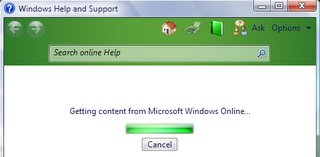
I think the worst ones are where they try to go online to show help. For example, Microsoft Office Communicator. Seems OK, until you realize that they forgot to ship a help file and it just goes onto the internet to get help. Not cool; not by a long shot. Why should they assume I have an internet connection? I mean the software is designed to be used on an Intranet, not the internet. I've been noticing more and more programs like this - in fact in testing Windows Vista I see that the main source of help (at least the first one searched) is online. It eventually times out and shows you local help, but with a notice at the top that you are not connected and to retry. Guess what? Just try to find the policy to turn that off! So far, I can't find it. There doesn't appear to be one, although there is a per-user setting that changes it to local help only. Get with it MS: create that policy to make help local only!
Programs that "enhance" themselves online
Microsoft Office anyone? Gotta love those task panes always wanting to get content from the internet. Or what about the templates online? You like clipart? Remember when it used to come on a CD? Not anymore: it's online! Ugh!
So, is anyone else worried about all this? Do you have satellite links in your organization? Any microwave? How about lusers using dialup? Do any work in countries where the goverment owns the bandwidth and it doesn't matter how much you pay - you only get so much of it? As Andy Rooney would say, "Well I do." And as your friendly neighborhood GILDude says, "Give me back my bandwidth!"
Programs that check for updates for their software
These would be like Quicktime, Flash Player, Adobe Acrobat Reader, etc. I think those yokels need to understand that their junky software is just a small piece of what computer users have installed and we don't want to have their little stub programs checking for updates all the damn time. In fact, if it weren't required by so many web sites and other programs we'd probably prefer not to have the software itself installed. These things annoy the heck out of me, always wanting to update themselves. Wasting my bandwidth for a purpose that just seems to be a bunch of hooey.
Programs like Microsoft's CEIP
What about the ones that do things like the Microsoft "Customer Experience Improvement Program" (or, "we watch what you click")? In the past, these tended to be opt-in, but lately some of them have been on by default. They also have a habit of not clearly disclosing what in the heck they are going to send. Are they sending my menu clicks? Are they sending my files? Who knows with most of them. Maybe the Shadow knows. One of the things I've been evangelizing with Microsoft in particular is that they should never ship one of these things unless there is a group policy setting to turn it the heck off.
Programs that are absolutely Helpless
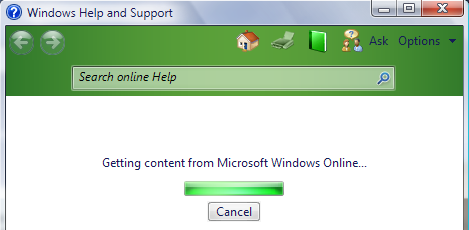
I think the worst ones are where they try to go online to show help. For example, Microsoft Office Communicator. Seems OK, until you realize that they forgot to ship a help file and it just goes onto the internet to get help. Not cool; not by a long shot. Why should they assume I have an internet connection? I mean the software is designed to be used on an Intranet, not the internet. I've been noticing more and more programs like this - in fact in testing Windows Vista I see that the main source of help (at least the first one searched) is online. It eventually times out and shows you local help, but with a notice at the top that you are not connected and to retry. Guess what? Just try to find the policy to turn that off! So far, I can't find it. There doesn't appear to be one, although there is a per-user setting that changes it to local help only. Get with it MS: create that policy to make help local only!
Programs that "enhance" themselves online
Microsoft Office anyone? Gotta love those task panes always wanting to get content from the internet. Or what about the templates online? You like clipart? Remember when it used to come on a CD? Not anymore: it's online! Ugh!
So, is anyone else worried about all this? Do you have satellite links in your organization? Any microwave? How about lusers using dialup? Do any work in countries where the goverment owns the bandwidth and it doesn't matter how much you pay - you only get so much of it? As Andy Rooney would say, "Well I do." And as your friendly neighborhood GILDude says, "Give me back my bandwidth!"
Sunday, November 06, 2005
Visual Studio 2005 and Vista - Clearly a challenge
Anyone out there used Visual Studio 2005 RTM? Like it? So far I've been quite happy with it, except for an annoying little (minor) quirk where it likes to give the "green squiggly" to certain variables in "Finally" blocks.
How about on Vista? Have you tried to use VS 2005 there? Or perhaps just tried to run the compiled code on Vista? It didn't work, right? I've been fighting this annoyance with some code that I am working on that needs to work on both XP and Vista. Since Vista build 5231 is not very stable (OK, well the truth is not stable at all), I don't want to try to do the dev work on Vista. So I have been building on Windows XP, and debugging and testing on XP. Then I move the EXE over to Vista 5231 and it won't run. It turns out the runtime version of the RTM Visual Studio is v2.0.50727.42. The version on Vista build 5231 is v2.0.050727.20. So the EXE's just crash.
Not a problem, right? Just upgrade the runtime on Vista and it'll work like a champ. Not so fast... Microsoft has made the runtime part of the operating system. So the only way to upgrade it is via an OS Service Pack or patch. Nasty! So, what's a poor enterprising developer to do? Wait for a new build of Vista?
Not likely! What I've been doing is to install the RC of Visual Studio onto my Vista machines. It will run with the version of the runtime installed on 5231. Then, after coding and debugging on Windows XP, I copy the whole project over to the Vista machine and recompile it using the RC version of Visual Studio. So far I've only run into one code change I had to make in order to do that. Opening one of my projects and compiling it in the RC version gave an error on a line of code that the designer had created. The line was:
Me.lvItems.UseCompatibleStateImageBehavior = False
I was able to just rem that line out and the project worked in the RC version and could be tested on Vista.
Kind of a pain to do dev work and testing on both platforms at this point, but at least it is working for me. I can't wait for the next CTP build of Vista as it will be sure to have the RTM version of the runtime and I can quit using the compiler version shuffle to do testing.
How about on Vista? Have you tried to use VS 2005 there? Or perhaps just tried to run the compiled code on Vista? It didn't work, right? I've been fighting this annoyance with some code that I am working on that needs to work on both XP and Vista. Since Vista build 5231 is not very stable (OK, well the truth is not stable at all), I don't want to try to do the dev work on Vista. So I have been building on Windows XP, and debugging and testing on XP. Then I move the EXE over to Vista 5231 and it won't run. It turns out the runtime version of the RTM Visual Studio is v2.0.50727.42. The version on Vista build 5231 is v2.0.050727.20. So the EXE's just crash.
Not a problem, right? Just upgrade the runtime on Vista and it'll work like a champ. Not so fast... Microsoft has made the runtime part of the operating system. So the only way to upgrade it is via an OS Service Pack or patch. Nasty! So, what's a poor enterprising developer to do? Wait for a new build of Vista?
Not likely! What I've been doing is to install the RC of Visual Studio onto my Vista machines. It will run with the version of the runtime installed on 5231. Then, after coding and debugging on Windows XP, I copy the whole project over to the Vista machine and recompile it using the RC version of Visual Studio. So far I've only run into one code change I had to make in order to do that. Opening one of my projects and compiling it in the RC version gave an error on a line of code that the designer had created. The line was:
Me.lvItems.UseCompatibleStateImageBehavior = False
I was able to just rem that line out and the project worked in the RC version and could be tested on Vista.
Kind of a pain to do dev work and testing on both platforms at this point, but at least it is working for me. I can't wait for the next CTP build of Vista as it will be sure to have the RTM version of the runtime and I can quit using the compiler version shuffle to do testing.
Sunday, October 23, 2005
Death of a killer app
The headlines may soon read "Microsoft gives death sentence to killer app.".
That's right: an application used by millions has been given the boot. This application is used today on Windows 98, Windows 2000, Windows XP and Windows Server 2003. It's very ability to provide services across these platforms has been part of its longstanding appeal. In recent years, Microsoft has de-emphasized it - covering up its UI is different ways. Now Windows Vista has killed it.
What is this mystery application? How did its death come about? And - more importantly - what does it mean to you? It's NetMeeting. Used by millions for that peer-to-peer meeting in an ad-hoc fashion. Used by millions of others in its more recent branding as the app hidden behind the smoke and mirrors in things like Windows Messenger, Office Communicator, and others. That's right: Do you ever hit that "share application" button in one of those tools? If so, you use NetMeeting even if you didn't know it. As for how it died, that's best left to the consipiracy theorists. However, here's a couple of reasons I've heard from various places:
If any of those are accurate, it's most likely a fortuitous accident. However, that's what people are saying.
More important than the why question is the "what now?" question. How are people to do any real time collaboration between say a Windows XP machine and a Vista machine? It's impossible; at least using in-box tools. If you want true peer-to-peer like NetMeeting gave you, you need to find a third-party product. Be sure to add the project costs for evaluating, selecting, purchasing, and deploying such a product into the mix for cost-justifying any planned upgrades to Windows Vista. As most people understand, putting in a new OS doesn't happen overnight (unless you have a company of 10 people in which case it just might). So the reality is that people who collaborate freely today will not be able to once one of them is "upgraded" to Vista. In fact, this feature deprecation has the potential to delay (perhaps indefinitely) the adoption of Windows Vista in many corporations.
In this case the jaded, "Where do you want to go today?" seems to be a rhetorical question. Instead, Microsoft's taking you where they want you to go - into a brave new world where you have to spend money to collaborate.
That's right: an application used by millions has been given the boot. This application is used today on Windows 98, Windows 2000, Windows XP and Windows Server 2003. It's very ability to provide services across these platforms has been part of its longstanding appeal. In recent years, Microsoft has de-emphasized it - covering up its UI is different ways. Now Windows Vista has killed it.
What is this mystery application? How did its death come about? And - more importantly - what does it mean to you? It's NetMeeting. Used by millions for that peer-to-peer meeting in an ad-hoc fashion. Used by millions of others in its more recent branding as the app hidden behind the smoke and mirrors in things like Windows Messenger, Office Communicator, and others. That's right: Do you ever hit that "share application" button in one of those tools? If so, you use NetMeeting even if you didn't know it. As for how it died, that's best left to the consipiracy theorists. However, here's a couple of reasons I've heard from various places:
- The code was too old and broken to be easily brought forward into Windows Vista
- It competes with a forthcoming fee-based Microsoft product and had to be dropped
- It couldn't be retrofitted for IPv6 and the new driver model on Vista
If any of those are accurate, it's most likely a fortuitous accident. However, that's what people are saying.
More important than the why question is the "what now?" question. How are people to do any real time collaboration between say a Windows XP machine and a Vista machine? It's impossible; at least using in-box tools. If you want true peer-to-peer like NetMeeting gave you, you need to find a third-party product. Be sure to add the project costs for evaluating, selecting, purchasing, and deploying such a product into the mix for cost-justifying any planned upgrades to Windows Vista. As most people understand, putting in a new OS doesn't happen overnight (unless you have a company of 10 people in which case it just might). So the reality is that people who collaborate freely today will not be able to once one of them is "upgraded" to Vista. In fact, this feature deprecation has the potential to delay (perhaps indefinitely) the adoption of Windows Vista in many corporations.
In this case the jaded, "Where do you want to go today?" seems to be a rhetorical question. Instead, Microsoft's taking you where they want you to go - into a brave new world where you have to spend money to collaborate.
Sunday, October 09, 2005
LUA, UAP, and the restricted token

Is your token chokin'?
With Windows Vista, you now have UAP or "User Access Protection", sometimes known as PA or "Protected Admin". What does this mean in a practical sense? Well, for instance let's say you take a domain account (or a new local account) and place it in the Administrators group. With all prior versions of Windows based on Windows NT, that would be it - that user would be an Administrator when they logged on and could install all the spyware and trojan horses they wanted. When they clicked on "<SomeFamousPersons>Boobs.jpg.exe", it could do anything it wanted to the system. The least likely thing it would do is display what it sounds like it would in the title, right? Now, your account won't really BE an admin - at least not all the time.
A different style of logon
The login process now creates two tokens. The normal one that in our sample case would have granted admin rights (this one is held onto by the kernel and used when you need to elevate), and a new token - based on the standard one - that is used for UAP. This new token has the Administrators group set as a restricted group or "deny only". So if you run "whoami /groups", you'll see "BUILTIN\Administrators S-1-5-32-544 Group used for deny only" (I chopped a bit of extra text out of that to simplify it, but it's clear that the token has been restricted. If you were to then run a command prompt elevated (by right-clicking the shortcut for the command prompt and choosing "elevate"), you'd get a different token. Run the "whoami /groups" again and you'll see that you now have "BUILTIN\Administrators S-1-5-32-544 Mandatory Group, Enabled by default, Enabled Group". As you can see - a different token.
All of the whining on the newsgroups and other places on the net that reduce to "my account is supposed to be an admin, but it can't do anything" are about either bugs or design elements with UAP and the restricted token. Take for example control panel applets. By the time we see final versions of Vista, the built in control panel applets will either prompt for elevation immediately when they are opened (if they have to; generally if all of their functions are administrative), or they will be re-factored to seperate any admin-required functions from their "per user" functions and will show a lock symbol and button to "enable" the admin functions. You'll need to click the lock and either hit ConsentUI (for users who are in the Administrators group but have the restricted token; this is just a "is it OK to do admin things" dialog), or hit CredUI (this is for folks who are not admins; they can then enter alternate credentials if they have them in order to elevate).
I know today there are a huge number of scenarios where this just isn't implemented yet, or doesn't work. Many are due to "we haven't gotten to that yet", while others are just plain bugs. One of the first things I happened to encounter was when I logged on as a standard user, then needed to do some administrative work. I used my trusty method of starting a command prompt as the standard user, executing "runas /u:
Come on Microsoft; step up to the plate and get these scenarios working.
Those of you who managed to get through my previous posts know that I was working on the ability of my service to be able to use WTSQueryUserToken to get the user's token so that it can execute code on behalf of the user. This works (finally). Anybody care to guess which token is retrieved in this way? The restricted one? The regular one? Well, I've tried it - and it is the restricted one. So if the user is an administrator, they won't really be until they've hit ConsentUI and agreed that your code can perform administrative tasks.
Wednesday, September 28, 2005
OK, I C how it is...
So, it turns out that creating a service that uses RegisterServiceCtlHandlerEx in VB.Net is in the realm of the "not really possible". It's impossible, except as a theoretical case where you re-write service base yourself. So, I had to "C" the light and just write a darn service from scratch using my arch-nemesis C.
Interestingly enough, I went ahead and started the service using the sample service provided by Microsoft in the Platform SDK. Believe it or not, that one uses the older RegisterServiceCtlHandler too instead of the Ex version. But, it wasn't much work to update their handler routine and rip out the named pipes demo stuff and just make use of their service shell. Saved me a bit of time anyway.
Now, the interesting thing is: this thingy works. Oh, I went through the normal crash, crash, crash while I figured out how to get my pointers in a row and remembered that C doesn't initialize your variables to nulls for you (nasty bug when I was trying to strcat to a non-initialized string and kept overflowing my damn buffer just like Microsoft). That's all just due to my relative unfamiliarity with the C language itself. However, I perservered and got the damn thing running.
On the home front, I just had my new Dell (new to me anyway, I bought it in Feb 2005) crap out on me. I have 5 Dells in the house, from an old XPS-T 850 Mhz P3 model to this new one and this is the first to up and crap out. I blame Maxtor. Their drives seem to be the only ones that ever fail. I bought this machine with the dual SATA drives in the mirroring or RAID 1 configuration figuring I could go a bit easier on the backups with TWO drives looking out for my important stuff. Sounded good at the time. So, the other evening we had some power lags or whatever they are - maybe brownouts is the term. This is where the lights go down a little dimmer for a second or two. We were watching a DVD and the TV and DVD player never had a problem. After 3 of these "lights down" events in 5 minutes, my wife and I went to turn off our computers. Both run through this huge (really about 60 pounds) power conditioner with a gigantic transformer and all in it. Mine then has a UPS connected to it too. So we shut them down. We left the kids machines up.
So, guess which one bit the dust? Yep, the NEW one; the one with the power conditioner AND the UPS. I boot it up in the morning and the array shows "degraded" and one of the drives shows "Error Ocurred". I let it boot, and it comes up with one drive. So I get on the Dell tech chat on another machine to get support. They want me to run diags. But I don't have the CD. So I download it. It wants to make a boot floppy. But the machine didn't come with a floppy drive. Ugh! So I made a boot CD and ran the diag only to find, yep: unrecoverable read error about 5 minutes unto the read test. So Dell agrees to send a person with a replacement drive. So far so good.
Then, I figure I should boot back into Windows to take a final backup from my one good drive. I boot and now the array says "failed" and shows BOTH drives with an error. It says I can pick one to mark as "normal" and it can correct the problem. OK, I figure this one is easy: pick the one that worked a little bit ago. BBZZZZT!!! Wrong answer. Ever seen "can't find NTLDR"? Well I have! So I give it 5 minutes to cool off and boot again. Back to both drives with an error and that helpful message that it can fix this. OK, why not - I pick the other drive. Hey! It finds the boot loader! Ever seen Galaxy Quest? You know the line: "Then it exploded"... Kind of like this... NTOSKRNL.EXE is missing or corrupt. Damn! OK, so now I know. The mirroring bought me all of one extra boot - which Dell used up by making me boot into the diagnostics. I was so pissed by this time I didn't even call Dell and ask for TWO drives until the next evening.
I'm still waiting on the drives. Then it gets fun: you get to press F6 during the Windows install and have it ask for a floppy disk (in that drive that doesn't exist). Fortunately I have an inside source: a hardware god at work named Kevin that can loan me a drive to get through that idiotic thing where the F6 to add a driver ONLY recognizes a floppy disk. Hopefully in a few days I'll be back up and running...
Interestingly enough, I went ahead and started the service using the sample service provided by Microsoft in the Platform SDK. Believe it or not, that one uses the older RegisterServiceCtlHandler too instead of the Ex version. But, it wasn't much work to update their handler routine and rip out the named pipes demo stuff and just make use of their service shell. Saved me a bit of time anyway.
Now, the interesting thing is: this thingy works. Oh, I went through the normal crash, crash, crash while I figured out how to get my pointers in a row and remembered that C doesn't initialize your variables to nulls for you (nasty bug when I was trying to strcat to a non-initialized string and kept overflowing my damn buffer just like Microsoft). That's all just due to my relative unfamiliarity with the C language itself. However, I perservered and got the damn thing running.
On the home front, I just had my new Dell (new to me anyway, I bought it in Feb 2005) crap out on me. I have 5 Dells in the house, from an old XPS-T 850 Mhz P3 model to this new one and this is the first to up and crap out. I blame Maxtor. Their drives seem to be the only ones that ever fail. I bought this machine with the dual SATA drives in the mirroring or RAID 1 configuration figuring I could go a bit easier on the backups with TWO drives looking out for my important stuff. Sounded good at the time. So, the other evening we had some power lags or whatever they are - maybe brownouts is the term. This is where the lights go down a little dimmer for a second or two. We were watching a DVD and the TV and DVD player never had a problem. After 3 of these "lights down" events in 5 minutes, my wife and I went to turn off our computers. Both run through this huge (really about 60 pounds) power conditioner with a gigantic transformer and all in it. Mine then has a UPS connected to it too. So we shut them down. We left the kids machines up.
So, guess which one bit the dust? Yep, the NEW one; the one with the power conditioner AND the UPS. I boot it up in the morning and the array shows "degraded" and one of the drives shows "Error Ocurred". I let it boot, and it comes up with one drive. So I get on the Dell tech chat on another machine to get support. They want me to run diags. But I don't have the CD. So I download it. It wants to make a boot floppy. But the machine didn't come with a floppy drive. Ugh! So I made a boot CD and ran the diag only to find, yep: unrecoverable read error about 5 minutes unto the read test. So Dell agrees to send a person with a replacement drive. So far so good.
Then, I figure I should boot back into Windows to take a final backup from my one good drive. I boot and now the array says "failed" and shows BOTH drives with an error. It says I can pick one to mark as "normal" and it can correct the problem. OK, I figure this one is easy: pick the one that worked a little bit ago. BBZZZZT!!! Wrong answer. Ever seen "can't find NTLDR"? Well I have! So I give it 5 minutes to cool off and boot again. Back to both drives with an error and that helpful message that it can fix this. OK, why not - I pick the other drive. Hey! It finds the boot loader! Ever seen Galaxy Quest? You know the line: "Then it exploded"... Kind of like this... NTOSKRNL.EXE is missing or corrupt. Damn! OK, so now I know. The mirroring bought me all of one extra boot - which Dell used up by making me boot into the diagnostics. I was so pissed by this time I didn't even call Dell and ask for TWO drives until the next evening.
I'm still waiting on the drives. Then it gets fun: you get to press F6 during the Windows install and have it ask for a floppy disk (in that drive that doesn't exist). Fortunately I have an inside source: a hardware god at work named Kevin that can loan me a drive to get through that idiotic thing where the F6 to add a driver ONLY recognizes a floppy disk. Hopefully in a few days I'll be back up and running...
Saturday, September 17, 2005
Winlogon and Vista - stuck in the mud again
If you've been following my trials and tribulations with the changes to Winlogon in Windows Vista you know that winlogon notification packages are no longer supported. If you haven't been following this - then get with it and read the back issues.
In my last post on this topic, I mentioned that I now had basic rights elevation (as LocalSystem) working and was going to move on to replace the winlogon notification functions. Well I hit a nice big fat stumbling block on that! It turns out that in order to register for winlogon to provide your service with notifications of changes like logons, logoffs and the like you need to register to accept SERVICE_CONTROL_SESSIONCHANGE. To do this, you call RegisterServiceCtrlHandlerEx with one of the flags having the SERVICE_ACCEPT_SESSIONCHANGE bit set. I've been doing this in Visual Basic.Net so that it can be maintained easily in the company. I've done very little work with C (only a couple of smaller project like my original winlogon notification package and a windows password filter), so I don't really want to dig in and create a whole service using C.
It turns out that the thoughtful folks at Microsoft designed the .Net Framework to call RegisterServiceCtrlHandler instead of RegisterServiceCtrlHandlerEx. I'm going to presume this is so that it works on NT 4.0, since the Ex version is available on Windows 2000 and greater. This, like the bit about not supporting reg_expand_sz in the framework, is a killer. It means I can't find a way to get the VB.Net "Windows Service" base class "servicebase" to call the "ex" version of the API and hence I can't receive winlogon notifications. I'm waiting on a definitive answer back from Microsoft (it seems some of the folks "in the know" were off gallivanting at the PDC this past week). However it is looking more and more like I am going to have to hack this together myself in C instead of being able to rely on the .Net Framework for the plumbing stuff and just do the business logic and a few API's like you should be able to do.
This seems to be a recurring theme. The .Net Framework has all these cool classes that all almost let you do something. They tend to just fall short of the mark at actually letting you do something useful. You almost get there, then find limits. For instance, in VB.Net 2003, you can do cool owner draw menus and put an icon on them. Great! Now, try doing that with a TrayIcon. Oops! It won't work. Again, you almost get there. Anyone else have these same frustrations? Anyone else find they call Windows APIs in VB.Net darn near as frequently as they did in VB6? I know I sure do, but then again I am usually doing something like calling the security APIs which haven't really gotten much treatment at all in .Net.
Even more important: Anyone out there know how to get VB.Net to use RegisterServiceCtrlHandlerEx in a Windows Service and get access to the additional notifications? Post a comment with a sample if you do...
In my last post on this topic, I mentioned that I now had basic rights elevation (as LocalSystem) working and was going to move on to replace the winlogon notification functions. Well I hit a nice big fat stumbling block on that! It turns out that in order to register for winlogon to provide your service with notifications of changes like logons, logoffs and the like you need to register to accept SERVICE_CONTROL_SESSIONCHANGE. To do this, you call RegisterServiceCtrlHandlerEx with one of the flags having the SERVICE_ACCEPT_SESSIONCHANGE bit set. I've been doing this in Visual Basic.Net so that it can be maintained easily in the company. I've done very little work with C (only a couple of smaller project like my original winlogon notification package and a windows password filter), so I don't really want to dig in and create a whole service using C.
It turns out that the thoughtful folks at Microsoft designed the .Net Framework to call RegisterServiceCtrlHandler instead of RegisterServiceCtrlHandlerEx. I'm going to presume this is so that it works on NT 4.0, since the Ex version is available on Windows 2000 and greater. This, like the bit about not supporting reg_expand_sz in the framework, is a killer. It means I can't find a way to get the VB.Net "Windows Service" base class "servicebase" to call the "ex" version of the API and hence I can't receive winlogon notifications. I'm waiting on a definitive answer back from Microsoft (it seems some of the folks "in the know" were off gallivanting at the PDC this past week). However it is looking more and more like I am going to have to hack this together myself in C instead of being able to rely on the .Net Framework for the plumbing stuff and just do the business logic and a few API's like you should be able to do.
This seems to be a recurring theme. The .Net Framework has all these cool classes that all almost let you do something. They tend to just fall short of the mark at actually letting you do something useful. You almost get there, then find limits. For instance, in VB.Net 2003, you can do cool owner draw menus and put an icon on them. Great! Now, try doing that with a TrayIcon. Oops! It won't work. Again, you almost get there. Anyone else have these same frustrations? Anyone else find they call Windows APIs in VB.Net darn near as frequently as they did in VB6? I know I sure do, but then again I am usually doing something like calling the security APIs which haven't really gotten much treatment at all in .Net.
Even more important: Anyone out there know how to get VB.Net to use RegisterServiceCtrlHandlerEx in a Windows Service and get access to the additional notifications? Post a comment with a sample if you do...
Monday, September 12, 2005
Spyware, Adware, and PUS oh my
Last night I was working quietly on my computer when a voice of sheer terror rang out from upstairs - "Dad, I need your help right now!!!". Not wanting to match the raw power of my daughter's screech, I calmly typed into Windows Messenger, "Please stop screeching and what is the problem?". I recevieved back, "My stuff is all rearranged and there are extra ones. And popups". Oh, boy sounds like Spyware I thought to myself. I typed back, "OK, I will be right there."
Girding for battle, I marched resolutely up the stairs steadfast in my belief that this would be a short, satisfying encounter ending in the well deserved death of YASP (Yet Another Spyware Program). Little did I know that these vermin and the a$$holes that create them are getting a bit smarter at avoiding removal. Last year I had an outbreak that cropped up on my son's machine after he made the mistake of letting a friend visit some stupid video game "cheat" site (one of these places that lists the cheat codes you type into video games). That one took a bit of work since two of the processes kept starting each other up if you killed one - but all in all took only about 30 minutes. This one got downright nasty.
First, the machine is at Windows XP SP2, is current on patches and does have SpySweeper on it. Running Spysweeper showed about 4 pieces of software. A manual look through task mangler showed at least 10 processes that were surely spyware. A partial list: InSearch.exe, MediaAcck.exe, thin-138-1-x-x.exe, svcproc.exe, vidctrl.exe, MediaAccess.exe, command.exe, jdzryj.exe, wintask.exe, casclient.exe, gms2.exe, and a scourge called "NewDotNet_36_8.dll" that had inserted itself in as a network provider. I didn't even bother looking up all of these, but some of the names were: Surf Sidekick3, CmdService (the one that launched command.exe), Casino Client.
Not being an expert on Anti-PUS (by the way, PUS is "Potentially Unwanted Software"), I figured it would still be no problem since I am pretty damn savy with Windows in general. I knew that some of these would have two components and re-launch themselves if killed, but I went ahead and started killing things with task mangler to see which ones were going to do that. After I found the EXE's that were re-starting, I decided to try a trick that I thought up on the spur of the moment - setting the ACL with a DENY on execute for the user ID I was logged on with and then killing the damn thing. (Please - I told you I am not an expert - don't tell me about your web site that has had this technique on it since 1999. I believe you, however it's still possible for others to discover the technique on their own, OK?). Well - that worked for some of them. One of the other ones (I think it was Surf Sidekick 3) noticed the ACL change and immediately threw out the ACL and replaced it with one that had only Everyone Full Control and of course it got launched again.
Next, I decided to clean any that I could out of the registry and reboot. I had put a deny execute on NewDotNet and several others. I cleaned out all of the registry entries from HKLM\...\Run and HKCU\...\Run, set items that were BHO's (Browser Helper Objects) to disabled and all that fun stuff. Rebooted, and presto - we were down to three things. CasClient was still there, Surf Sidekick 3 was there, and while NewDotNet was not running it's absence had made AD functions not work correctly (could no longer do ACL tricks with domain accounts as the lookups woudld fail even though GPO and mapped drives all worked). I then ran a "netsh int ip reset" or whatever that command is that removes the network add-ins and then ran the NewDotNet uninstaller. That issue was resolved.
One of the harder ones was the command.exe program. This was setup as a service! First time for ME to see spy/ad ware that was smart enough to do this. I tried to stop or pause the service, but the sneaky ba$tard$ had coded the service such that those control codes were not valid. So I tried to terminate the program and got access denied. I then used a sneaky trick to pull up a cmd.exe prompt as local system, and used "TaskKill /f /im command.exe" to nuke it. Then used "SC.exe delete cmdservice" to remove it from the registry's service database. Deleted the file, rebooted again and that one was sent packing.
Then I had to get nasty. About then I went to find my daughter and told her that it was down to this: Either I could kill the remaining vermin with WinPE or I would re-image her machine. I stalked down to my office to get a WinPE boot CD - not defeated but now knowing that this was not going to be the short battle I had anticipated.
I booted to WinPE and deleted the offending files. "Try to start back up now, you pile of rubbish!", I exclaimed. I then mounted up the HKCU registry hive for my daughter's account and the HKLM\Software hive for her machine into the WinPE regedit. It took just a couple of more minutes to hunt down and destroy the few remaining registry entries for this stuff.
I rebooted one more time and installed the latest version of Firefox and set it as the default. I gave my daughter the instruction that she is not to use Internet Explorer to work around a page that doesn't work in FireFox without checking with me first!
Elapsed time: 2 stinking hours! All wasted on this crap. Boy, if we knew who the developers for this stuff were - it sure would be satisfying to get back at them some way.
Girding for battle, I marched resolutely up the stairs steadfast in my belief that this would be a short, satisfying encounter ending in the well deserved death of YASP (Yet Another Spyware Program). Little did I know that these vermin and the a$$holes that create them are getting a bit smarter at avoiding removal. Last year I had an outbreak that cropped up on my son's machine after he made the mistake of letting a friend visit some stupid video game "cheat" site (one of these places that lists the cheat codes you type into video games). That one took a bit of work since two of the processes kept starting each other up if you killed one - but all in all took only about 30 minutes. This one got downright nasty.
First, the machine is at Windows XP SP2, is current on patches and does have SpySweeper on it. Running Spysweeper showed about 4 pieces of software. A manual look through task mangler showed at least 10 processes that were surely spyware. A partial list: InSearch.exe, MediaAcck.exe, thin-138-1-x-x.exe, svcproc.exe, vidctrl.exe, MediaAccess.exe, command.exe, jdzryj.exe, wintask.exe, casclient.exe, gms2.exe, and a scourge called "NewDotNet_36_8.dll" that had inserted itself in as a network provider. I didn't even bother looking up all of these, but some of the names were: Surf Sidekick3, CmdService (the one that launched command.exe), Casino Client.
Not being an expert on Anti-PUS (by the way, PUS is "Potentially Unwanted Software"), I figured it would still be no problem since I am pretty damn savy with Windows in general. I knew that some of these would have two components and re-launch themselves if killed, but I went ahead and started killing things with task mangler to see which ones were going to do that. After I found the EXE's that were re-starting, I decided to try a trick that I thought up on the spur of the moment - setting the ACL with a DENY on execute for the user ID I was logged on with and then killing the damn thing. (Please - I told you I am not an expert - don't tell me about your web site that has had this technique on it since 1999. I believe you, however it's still possible for others to discover the technique on their own, OK?). Well - that worked for some of them. One of the other ones (I think it was Surf Sidekick 3) noticed the ACL change and immediately threw out the ACL and replaced it with one that had only Everyone Full Control and of course it got launched again.
Next, I decided to clean any that I could out of the registry and reboot. I had put a deny execute on NewDotNet and several others. I cleaned out all of the registry entries from HKLM\...\Run and HKCU\...\Run, set items that were BHO's (Browser Helper Objects) to disabled and all that fun stuff. Rebooted, and presto - we were down to three things. CasClient was still there, Surf Sidekick 3 was there, and while NewDotNet was not running it's absence had made AD functions not work correctly (could no longer do ACL tricks with domain accounts as the lookups woudld fail even though GPO and mapped drives all worked). I then ran a "netsh int ip reset" or whatever that command is that removes the network add-ins and then ran the NewDotNet uninstaller. That issue was resolved.
One of the harder ones was the command.exe program. This was setup as a service! First time for ME to see spy/ad ware that was smart enough to do this. I tried to stop or pause the service, but the sneaky ba$tard$ had coded the service such that those control codes were not valid. So I tried to terminate the program and got access denied. I then used a sneaky trick to pull up a cmd.exe prompt as local system, and used "TaskKill /f /im command.exe" to nuke it. Then used "SC.exe delete cmdservice" to remove it from the registry's service database. Deleted the file, rebooted again and that one was sent packing.
Then I had to get nasty. About then I went to find my daughter and told her that it was down to this: Either I could kill the remaining vermin with WinPE or I would re-image her machine. I stalked down to my office to get a WinPE boot CD - not defeated but now knowing that this was not going to be the short battle I had anticipated.
I booted to WinPE and deleted the offending files. "Try to start back up now, you pile of rubbish!", I exclaimed. I then mounted up the HKCU registry hive for my daughter's account and the HKLM\Software hive for her machine into the WinPE regedit. It took just a couple of more minutes to hunt down and destroy the few remaining registry entries for this stuff.
I rebooted one more time and installed the latest version of Firefox and set it as the default. I gave my daughter the instruction that she is not to use Internet Explorer to work around a page that doesn't work in FireFox without checking with me first!
Elapsed time: 2 stinking hours! All wasted on this crap. Boy, if we knew who the developers for this stuff were - it sure would be satisfying to get back at them some way.
Friday, September 09, 2005
Winlogon and Vista - seeing clearly (as clear as mud)
Awhile back I was posting on the trials and tribulations I've been going through in trying to replace the functionality of a Winlogon Notification DLL and a third party product for rights elevation. After some helpful pointers from Microsoft, I now have a minimalist version of this working. It's been painful, but instructive. The main things that were missing were the dwFlags of the STARTUPINFO structure was not set to STARF_USESHOWWINDOW (all that means is 1), and in the client piece I needed to set the "Global\" prefix specifier in front of the name of the memory mapped file I was using. In Windows XP you didn't need to do this because everything essentially ran in session 0 and hence defaulted to Global. It was only if you were doing something for terminal services that you needed to watch out for the proper use of "Global\" and "Local\" for your kernel objects (like memory mapped files).
Thanks to Eric for straightening me out on those two issues.
So far, the replacement service does a nearly adequate job of replacing the third-party rights elevation tool. I still have to incorporate a callback in the service to get notified of winlogon messages so that I can finish the functionality of the rights elevation (noticing a new user logon is important there) and add the piece that replaces the Winlogon Notification DLL. Remember, those DLL's got notified of startup, shutdown, shellstart, logon, logoff, lock, unlock, screensaverstart, screensaverstop and about 2 others. Under Windows XP, we used our custom notification dll to be able to run arbitrary code either as local system or as the end user during any of those events. (by arbitrary, I mean an administrator could make registry entries to cause code to run).
I'll post updates on how the additions to the service come as I add them.
Thanks to Eric for straightening me out on those two issues.
So far, the replacement service does a nearly adequate job of replacing the third-party rights elevation tool. I still have to incorporate a callback in the service to get notified of winlogon messages so that I can finish the functionality of the rights elevation (noticing a new user logon is important there) and add the piece that replaces the Winlogon Notification DLL. Remember, those DLL's got notified of startup, shutdown, shellstart, logon, logoff, lock, unlock, screensaverstart, screensaverstop and about 2 others. Under Windows XP, we used our custom notification dll to be able to run arbitrary code either as local system or as the end user during any of those events. (by arbitrary, I mean an administrator could make registry entries to cause code to run).
I'll post updates on how the additions to the service come as I add them.
Saturday, September 03, 2005
If there's smoke, then there's fire
OK, time to rant again...
<rant>
Does anyone else have any problem with all these people who smoke just throwing their burning cigarettes out the car window? I live in a state (California) that is able to boast one of the lowest percentages of smokers per capita in the US (which has a lower percentage per capita than many places in Europe and from what I understand all of Asia), yet I still see numerous people ignore those ubiquitous signs along the highways that say "Unlawful to throw flaming or burning objects...". It's as if these people (shall we call them inDuhviduals like Scott Adams) can't recognize that these signs are talking about cigarettes. They also ignore the signs that show that littering is a crime worthy of a $1,000 fine - in most jurisdictions more than a speeding ticket or a red light running ticket.
On my way to work (at 4:15 am) I generally see about 150 cars (tops) on my 38 mile drive. Only a few of those cars have the pleasure of being the car directly in front of me, or in the lane next to me where I can see the driver window. But, even with this small sample I see usually 2 to 3 cigarettes flung from windows every morning. On the way home - when it is light - I see the burned areas alongside the road that these inDuhviduals seem to delight in creating. I also see more of these scofflaws throwing out their unwanted stubs. Of course then, at that time that same commute is riddled with cars - just about the worst traffic in the area and we are going about 5 miles per hour - so at least I can yell at the jokers.
I also see in gas stations the way these folks seem to think it is acceptable to just open their door and dump their ash tray on the cement. I guess with the scarring of their lungs from the cancer sticks it would be too hard to walk over to the garbage can that is right next to the damn gas pump and dump their ash tray.
Any ideas on how to combat this?
</rant>
<rant>
Does anyone else have any problem with all these people who smoke just throwing their burning cigarettes out the car window? I live in a state (California) that is able to boast one of the lowest percentages of smokers per capita in the US (which has a lower percentage per capita than many places in Europe and from what I understand all of Asia), yet I still see numerous people ignore those ubiquitous signs along the highways that say "Unlawful to throw flaming or burning objects...". It's as if these people (shall we call them inDuhviduals like Scott Adams) can't recognize that these signs are talking about cigarettes. They also ignore the signs that show that littering is a crime worthy of a $1,000 fine - in most jurisdictions more than a speeding ticket or a red light running ticket.
On my way to work (at 4:15 am) I generally see about 150 cars (tops) on my 38 mile drive. Only a few of those cars have the pleasure of being the car directly in front of me, or in the lane next to me where I can see the driver window. But, even with this small sample I see usually 2 to 3 cigarettes flung from windows every morning. On the way home - when it is light - I see the burned areas alongside the road that these inDuhviduals seem to delight in creating. I also see more of these scofflaws throwing out their unwanted stubs. Of course then, at that time that same commute is riddled with cars - just about the worst traffic in the area and we are going about 5 miles per hour - so at least I can yell at the jokers.
I also see in gas stations the way these folks seem to think it is acceptable to just open their door and dump their ash tray on the cement. I guess with the scarring of their lungs from the cancer sticks it would be too hard to walk over to the garbage can that is right next to the damn gas pump and dump their ash tray.
Any ideas on how to combat this?
- Have a web site that we can post license plate numbers to of cars we see with people doing this? When you get reported a couple of times you get a ticket?
- Design cars so that the windows won't roll down when there is cigarette smoke in the car?
- Something better?
</rant>
Friday, August 26, 2005
Logon's long gone
Admittedly most people never find the need to write a Winlogon Notification DLL. However, if you were tempted to: stop. Microsoft no longer supports them in LongHorny. Yes, they had a good run beginning with Windows 2000, continuing into Windows XP and Windows 2003 server. But, like many things where Microsoft just up and decides that "those darn developers out there crash our crap too much" they've pulled the plug on Winlogon Notification DLL's. Apparently too many people didn't free their pointers or something and caused Winlogon crashes. GINA's have been pulled too, but I imagine the GINA's of the world will unite in protest - maybe even the Regina's too.
So, if you want to acheive the same results that you used to be able to do with a Winlogon Notification DLL what's a poor developer to do? Never fear, some more difficult code is here! Instead of simply running a CreateProcess with the lpDesktop parameter of the StartupInformation structure set to "Winsta0\Default" like you could in the Notification DLL, you now have to create a service. The service must be setup to handle SERVICE_ACCEPT_SESSIONCHANGE and has a callback to get notified of logons, logoffs, etc. Now, due to some further changes in Windows, services can't easily put things on the user desktop. Simple things like what SMS does - deliver packages to the user desktop running as Local System are now more difficult because if you just launch them on WinSta0\Default they will run on the "services" session and not on the user console.
So how do you get them onto the user desktop?
Well, to quote Microsoft: "It becomes more difficult if you want to start LocalSystem code on the user’s “Default” desktop. That’s actually something that we would strongly discourage because of things like shatter attacks. So if you are calling CreateProcess and specify Winsta0\Default as the desktop, that won’t work as is from a service. It is still possible to do this, but as mentioned, that approach is strongly discouraged for security reasons..". It's always funny to then tell them, but you sell a product called SMS that does this. Anyway, since I still need that functionality I need to write this service. Besides isn't William Shatner getting too old to attack things anymore?
Can we get there from here?
It turns out that you need to do things like create a Security Descriptor (which is no simple task for VB.Net people like me), Duplicate the token, modify the token to be associated with a different session, and then call CreateProcessAsUser using your newly minted token (no, not a fake video game token; just a fake Windows token). All this uses some of the obtuse security API's that most people hope that they never even have to read about, let alone understand. So, I've done that (read about it, don't understand it). The good news is that it doesn't crash. The bad news is that it doesn't do much of anything at all. When debugging it under Vista, it shows "True" for the result codes of all of the calls. In fact, I even get a PID back in the ProcessInformation structure after the call to CreateProcessAsUser. The only problem is that the app never starts, even though I get thread handles, process handles, PID, etc. and a true result code. Boy this was simple before! Now its quite complicated. I'll let you know if I ever get this working. So far this has left me wondering if a shatter attack is what happens to your monitor when you get frustrated writing code for Windows.
So, if you want to acheive the same results that you used to be able to do with a Winlogon Notification DLL what's a poor developer to do? Never fear, some more difficult code is here! Instead of simply running a CreateProcess with the lpDesktop parameter of the StartupInformation structure set to "Winsta0\Default" like you could in the Notification DLL, you now have to create a service. The service must be setup to handle SERVICE_ACCEPT_SESSIONCHANGE and has a callback to get notified of logons, logoffs, etc. Now, due to some further changes in Windows, services can't easily put things on the user desktop. Simple things like what SMS does - deliver packages to the user desktop running as Local System are now more difficult because if you just launch them on WinSta0\Default they will run on the "services" session and not on the user console.
So how do you get them onto the user desktop?
Well, to quote Microsoft: "It becomes more difficult if you want to start LocalSystem code on the user’s “Default” desktop. That’s actually something that we would strongly discourage because of things like shatter attacks. So if you are calling CreateProcess and specify Winsta0\Default as the desktop, that won’t work as is from a service. It is still possible to do this, but as mentioned, that approach is strongly discouraged for security reasons..". It's always funny to then tell them, but you sell a product called SMS that does this. Anyway, since I still need that functionality I need to write this service. Besides isn't William Shatner getting too old to attack things anymore?
Can we get there from here?
It turns out that you need to do things like create a Security Descriptor (which is no simple task for VB.Net people like me), Duplicate the token, modify the token to be associated with a different session, and then call CreateProcessAsUser using your newly minted token (no, not a fake video game token; just a fake Windows token). All this uses some of the obtuse security API's that most people hope that they never even have to read about, let alone understand. So, I've done that (read about it, don't understand it). The good news is that it doesn't crash. The bad news is that it doesn't do much of anything at all. When debugging it under Vista, it shows "True" for the result codes of all of the calls. In fact, I even get a PID back in the ProcessInformation structure after the call to CreateProcessAsUser. The only problem is that the app never starts, even though I get thread handles, process handles, PID, etc. and a true result code. Boy this was simple before! Now its quite complicated. I'll let you know if I ever get this working. So far this has left me wondering if a shatter attack is what happens to your monitor when you get frustrated writing code for Windows.
Subscribe to:
Posts (Atom)